Netbeans usability
UPDATE:
The netbeans community solved my problem in 24 hours!!! It was a bug due to a problem of deserialization ... Deleting the ~/.netbeans folder solved the problem. Check out http://www.netbeans.org/issues/show_bug.cgi?id=161070
One of thing I enjoy the most in life is cooking. I distrust most of the products processed by the food industry - gm, transfat, the list is too long... - and try to cook with local, raw and organics ingredient (when available at a fair price). The kitchen utensils I use must be of very good quality: the knifes must cut without effort, the pan must not contain carcinogen material, etc... As the whole cooking experience becomes slightly stressful if I have to cook with other utensils, I tend to bring my best knifes with me on holidays ;-)
To stick with the cooking metaphor, I see the code as the ingredients, the IDE being the kitchen utensils and the working and tested software the resulting meal.
A lot of my productivity and the joy I feel crafting a beautiful software depends on my interaction with an IDE.
I have been using Netbeans since february 2007, following its long path to become a mature IDE for Ruby on Rails. Most of the time, I have used the latest build, reported some issues and it has been a fun and productive experience.
However, I am feeling a bit frustrated now, because of some recent changes in the behavior of the Output Window(CTRL+4) . I rely highly on Autospec to run my unit tests. With Netbeans 6.5, I have the code on one widow and I use an undocked Output window on the right side in order to check out the tests results and open classes in 1 click. This is very handy because Netbeans opens the guilty class in the main window, at the exact location of the guilty line of the backtrace. This makes the whole development cycle "super" productive!
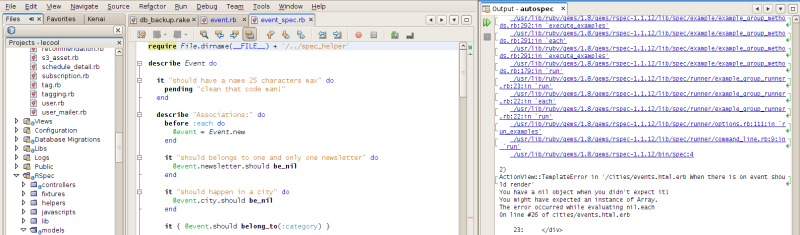
Since Netbeans latest build 23rd of March 2009 (7.0?), this behavior has changed. It seems that the Output window behaves like any other window. By default, it opens in a normal tab, forcing you to constantly CTRL+TAB to switch between classes and output. If you undock it and you click on a backtrace, it will open it in the same undocked window as the Output!!!
So unless you move theses windows to the main IDE, there is no way you can compare the tests output and the class itself. As far as I am concerned, this is a serious usability issue and I'd like to discuss it with other netbeans users and netbeans IDE developers. In the following screenshot, you can see that every time I click on a backtrace, it opens the window in a tab next to the Output window ....
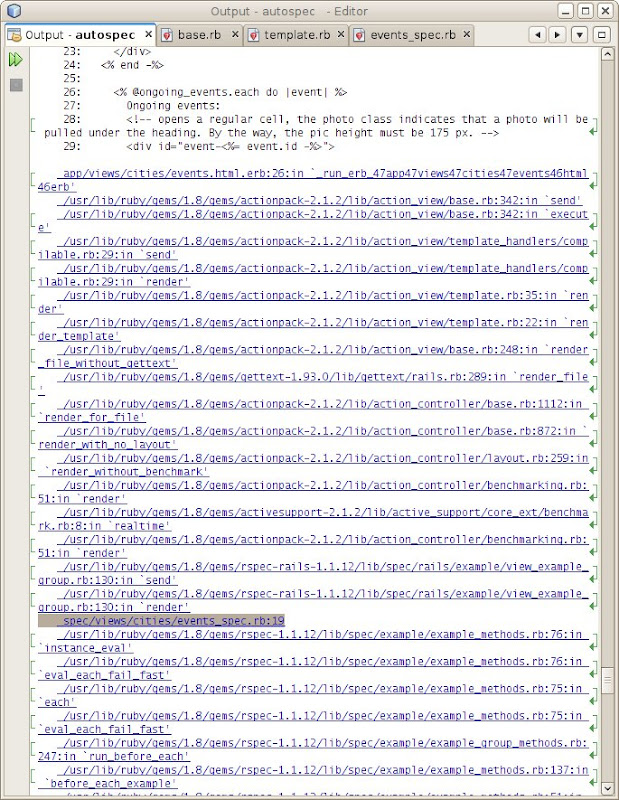
Please, please rollback the Output Window to its previous behavior!
A last tip about running autospec. The netbeans Autospec implementation is flawed: output is polluted by zillions of %RSPEC_SUITE_FINISHED% and the constant scroll bar at the bottom is very distracting. The solution is to run autospec with a simple "Run File" (shit +F6) of the script/autospec. This is much more productive and faster than the RSpec runner built into Netbeans and always works!
In the future, I'd love to see a feature which would allow us to split the IDE in 3 vertical windows.
If you look at Jon and Sandro on Pair Programming hashrocket video, you'll see that they have split their screen in 3: a class, the test class and autotest. Always take inspiration from the best!


 Amsterdam 2008
 2008
2008 2007 & 2008

